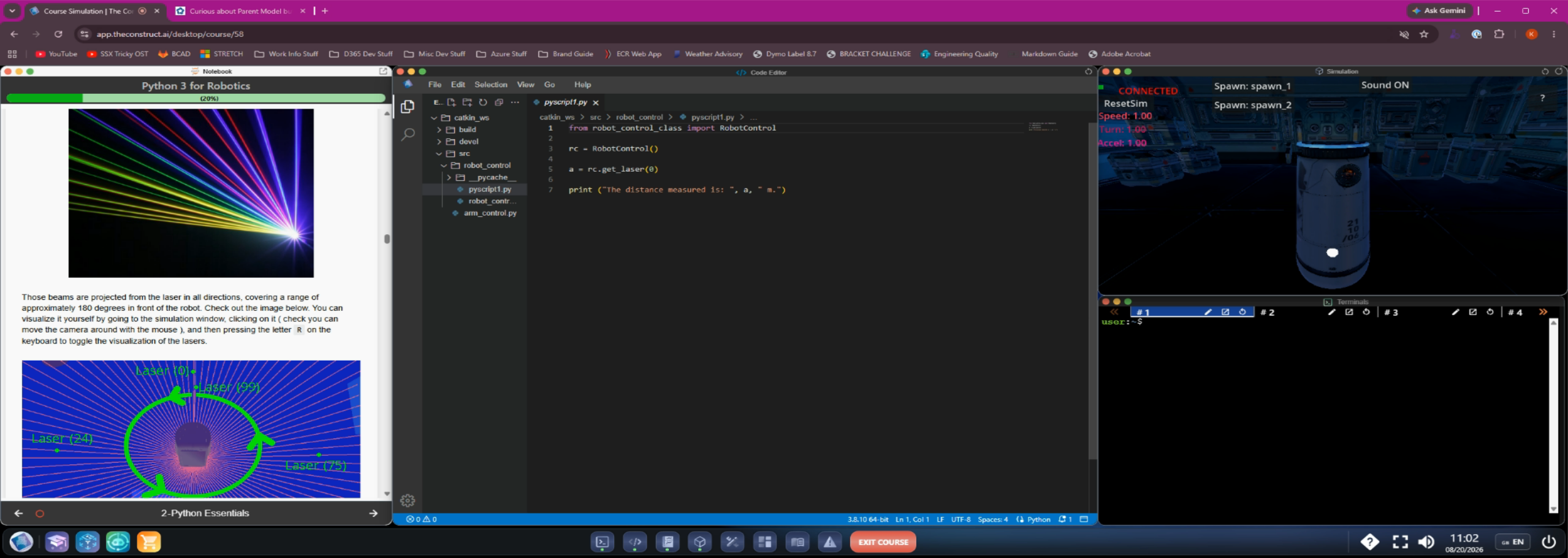
The instructions say to click into the simulation window and press the "R" key to see the rays coming from the sensor. I have tried left clicking as well as right-clicking, but I am unable to get the lasers to appear. Not sure if this is an error in the text (wrong key press?) or if something was updated about the simulation that prevents this, but it would be nice to be able to see myself, as I believe the instructions for this part of the lesson said it will be useful later on in the course.
It should also be noted that I am still able to do other operations within the simulation window, like using wasd to move the robot, so I don’t think the simulation window itself is “broken” in any way
Hi,
Sorry about the confusion. That was from a previous version where that could be done, but this new version doesn’t have that feature.
We just corrected the documentation accordingly. Thanks for the bug report. If you see anything else that could be improved, please let us know, and we will correct it as soon as possible.