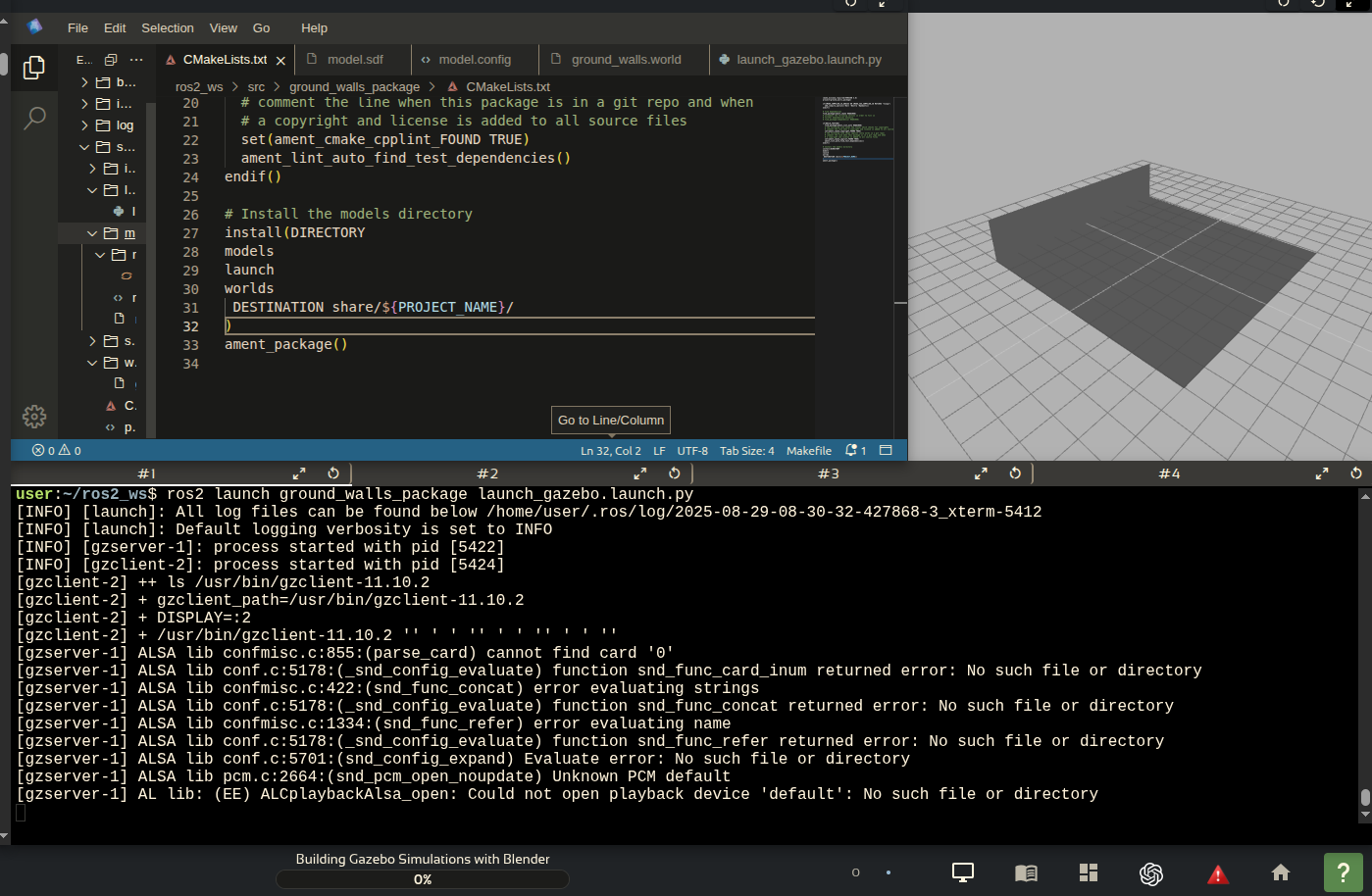
This is an error report.
Screenshot of the error

Error details
I was comping and pasting the second part of the tutorial and the plane with walls does'nt apear on the gazebo screen. We have some errors on the terminal too.
This is an error report.
Screenshot of the error
Error details
I was comping and pasting the second part of the tutorial and the plane with walls does'nt apear on the gazebo screen. We have some errors on the terminal too.
Hi @tecnicos404, I don’t think the terminal outputs are errors, otherwise the process would otherwise die.
It seems your launch file starts gazebo, but ground_walls.world is not being loaded.
Sometimes Gazebo stays running in the background so it presents a problem when it is launched multiple times. What I recommend is closing the course so the environment resets and try again.
Please let me know if this works or not.
Hi @rodrigo55, unfortunately, it’s an error. Gazebo can’t load the simulation. I tried the same code on my computer (Ubuntu 22.04, ROS2 Humble, Gazebo Classic) and everything is working fine. I use these courses to improve my knowledge of ROS2 in order to maintain and upgrade the robotics classes infrastructure at the university where I work. These courses are great, but they have a lot of errors like this. Thanks for your help!
Hi @tecnicos404, sorry for the late response. I had to reproduce what you did and I found out that the blender model is spawned in gazebo with no issues:
All I did was carefully follow the instructions (sorry about not completing the walls, I just wanted to tested it works).
I would point to missing installs in CMakeLists.txt or removing the Light and Camera (and the other instructions from Blender) as possible sources of error, but you’ve stated that everything works fine locally.
So my recommendation is to quickly delete the whole package and doing it again. Maybe the import of the .dae went wrong, I don’t know.
When I mentioned it wasn’t an error, all I meant was that the output of your terminal shows no errors. As you can see, the ALSA lib warning can be ignored (don’t even know what they are for).
Let me know if this helps.
Hi @rodrigo55 ,
Simultaneously with the TheConstruct site, I used the same .dae model on my computer and everything worked fine! I always pay close attention to instructions and I reviewed the lesson many times trying to find any mistake, but everything was all right. I think it’s something so simple and minor that I can’t see it. So, I finished the course using my own infrastructure. I’m very happy with your effort to help me! Thanks!
Best regards!
This topic was automatically closed 5 days after the last reply. New replies are no longer allowed.