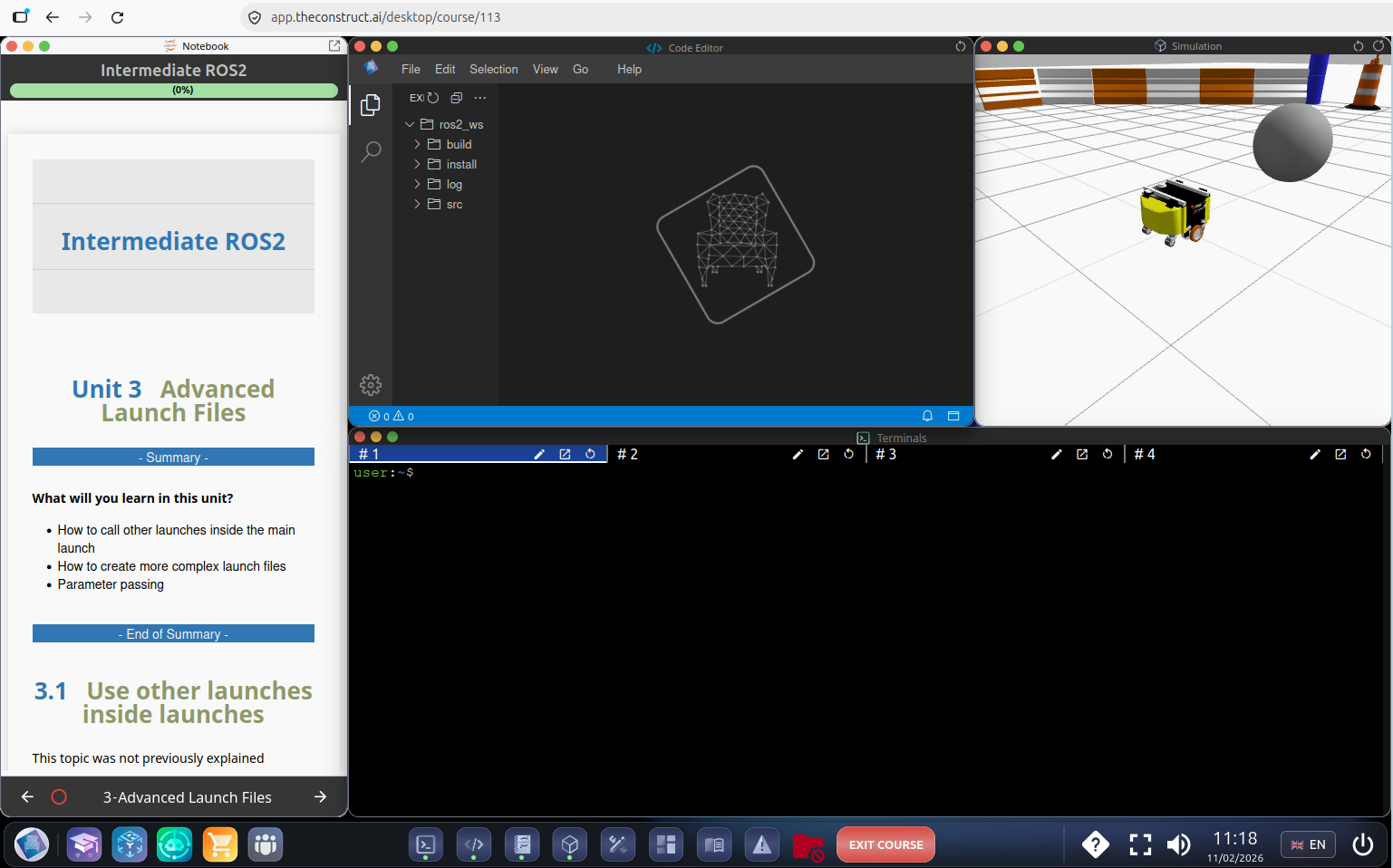
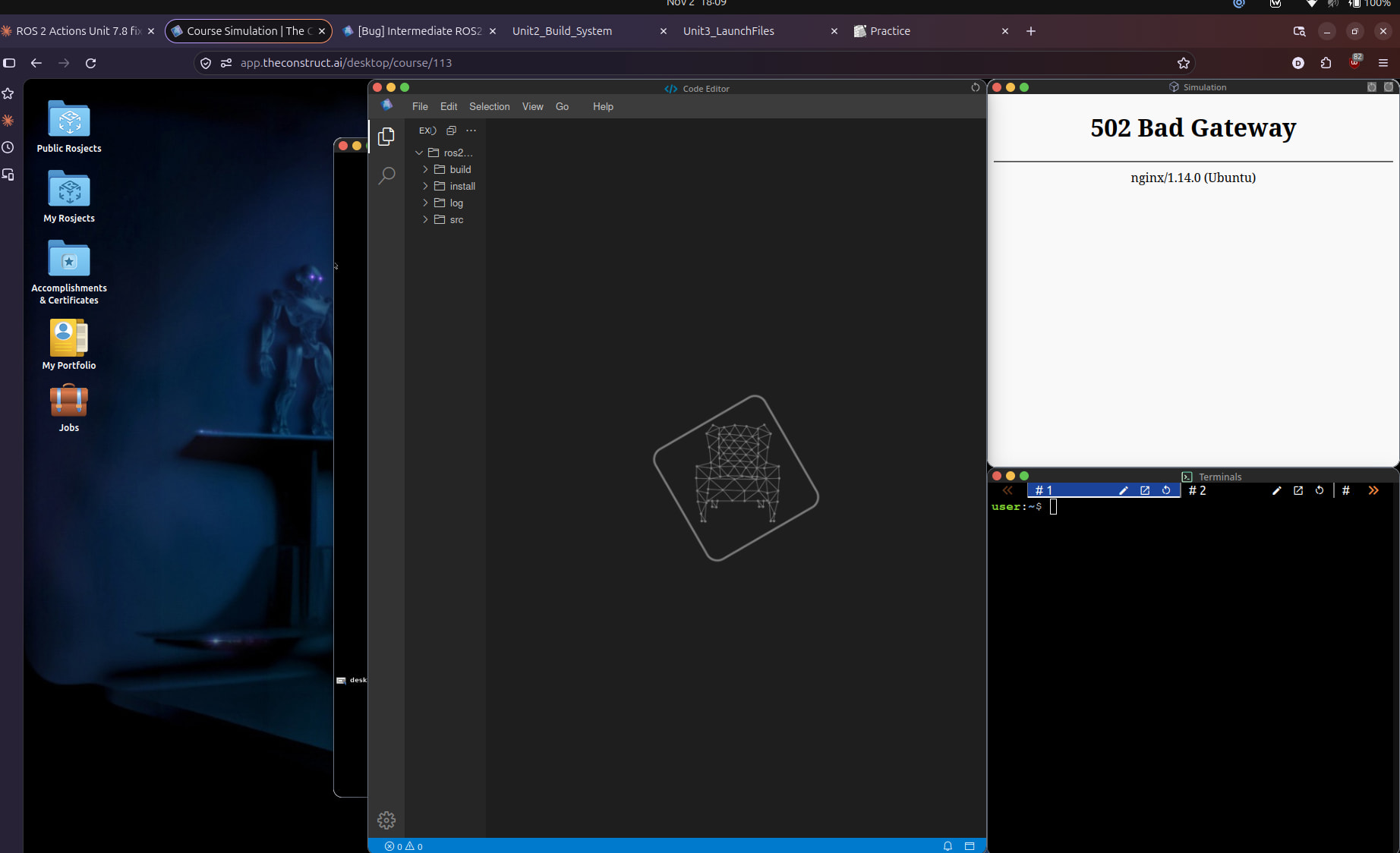
This is an error report.
Screenshot of the error
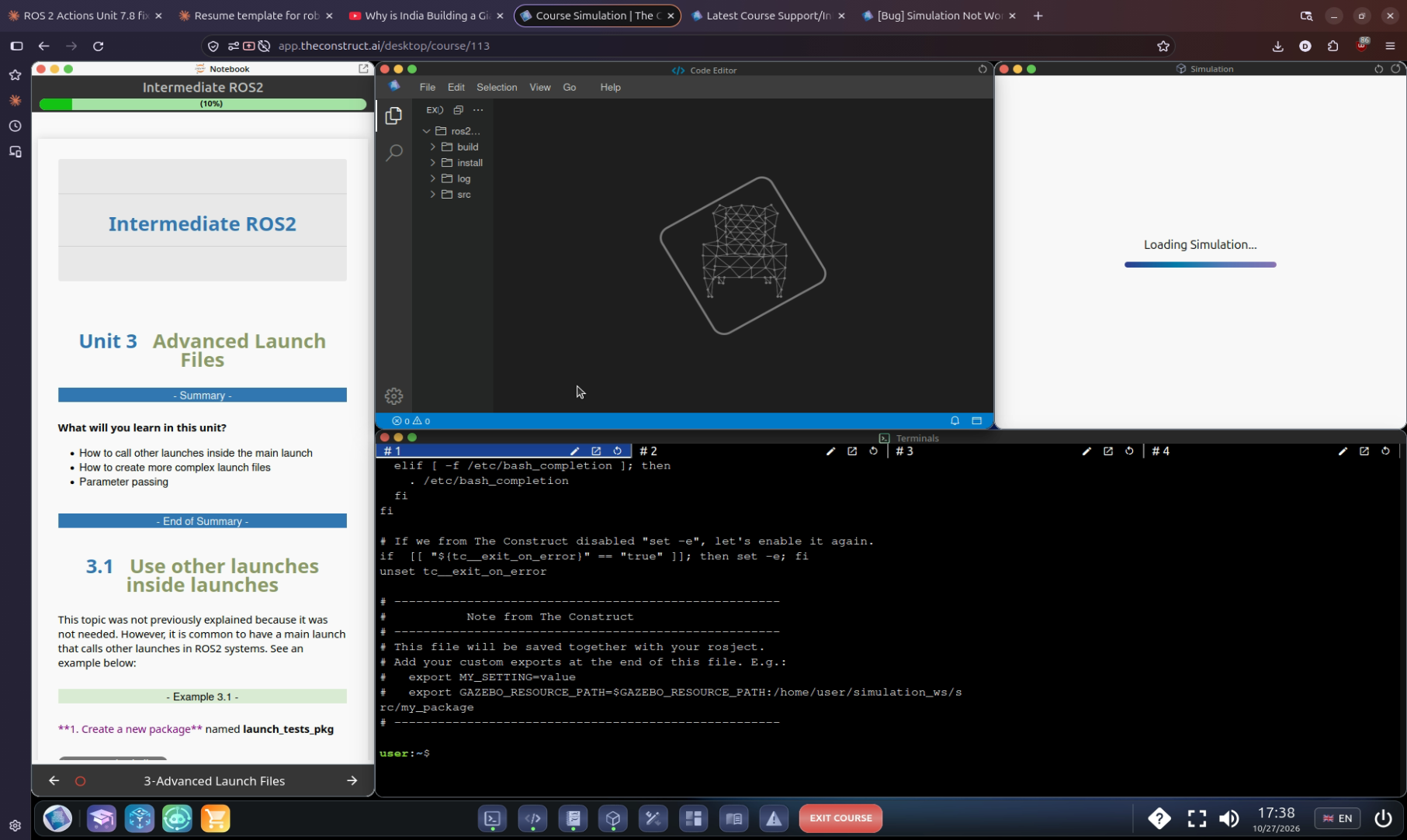
Error details
The simulation window in Intermediate ROS2 never finishes loading. It stays on "Loading Simulation..." indefinitely (screenshot attached). The notebook, code editor and terminals all work.
What I already tried:
- Waited 20+ minutes
- Reloaded the simulation panel
- Exited and reopened the course
- Switched to a different network
- Disabled uBlock Origin for app.theconstruct.ai and reloaded
- Checked ~/.bashrc: unmodified (default file, nothing added after The Construct's note)
The simulation in "ROS2 Basics in 5 Days (Python)" loads fine with the same browser and network (Firefox), so it seems specific to this course's environment.
Same symptom as the closed Nov 2024 thread "[Bug] Simulation Not Working" in the Intermediate ROS2 category.
Hi Arjun,
we are in the process of getting rid of those Gazebo simulations that crash all the time. We have a new version of the course with a brand new simulation system developed by us.
While we are finishing the final version, you have two options here:
1. Open the course that crashes and then press the “relaunch simulation” icon in the top right corner of the simulation window. This will re-start the sim and launch it properly on the second time for sure
2. Open instead the C++ version of the course (The Construct - Where Your Robotics Career Happens). It is quite similar to the Python version. This version has already the new simulation system and works as charm
I apologize for the inconvenience this may have caused you
Hi rtellez,
Thank you for the quick reply. I tried the “relaunch simulation” icon several times, but the Python course (course/113) still stays on “Loading Simulation…”. The C++ version loads fine with the new simulation.
I’m following the Python track, so I have a few questions:
- Roughly when will the Python version get the new simulation system?
- Will it be an update to the same course, or a new course? If it’s new, will my current progress carry over?
- In the meantime, is it fine to run the Python course’s exercises (my own ament_python packages) inside the C++ course’s environment, using its working simulation?
Thanks again for your help.
Best regards,
Arjun Dasari
@letsbuilditbig
Let me answer you in the meantime, before @rtellez gets a moment to reply
If the simulations ever loaded for you, I’d say you should give it little time to load. It loaded for me in about 3 minutes.
Answering your questions
- We don’t have a specific date for that now, but we’ll keep you posted about the changes
- It depends, but I can’t say right now. If we’re only upgrading the simulations, then it might be the same course, but if we are upgrading the course material significantly, it might be a new course.
- No, as we cannot guarantee that things would work as expected.
Again I encourage you to give the simulations a bit of time to load. If they are taking longer than 5 minutes, we might need to check other things (like your internet connection speed, or browser extensions).
Once loaded for this current unit, it loads faster for the remaining units.
Hi @bayodesegun, thanks for answering my questions.
I’ve already waited 10+ minutes several times, switched networks and disabled extensions. I’ve now also tried from both Windows and Ubuntu. Three times, the simulation panel showed “502 Bad Gateway – nginx/1.14.0 (Ubuntu)” (screenshot attached) before going back to “Loading Simulation…”. So it looks like the simulation backend isn’t responding, rather than a browser or network issue.
Some details from the terminal while it’s stuck:
- The /gazebo node is running, but
ros2 topic hz /clock shows no messages, so Gazebo seems frozen.
- The spawn_entity node never exits.
- /cmd_vel has publishers but 0 subscribers, and /scan and /odom are never published, so the robot never seems to spawn.
The ROS2 Basics (Python) and Intermediate ROS2 (C++) simulations load fine on the same account and network. Could you check or reset the simulation backend for my account?
Thanks!
I’m sorry sorry to see that you are having such problems with the simulation.
On a second and third check, I see that the simulation might actually take longer than 3 minutes, depending on whether it’s being downloaded for your vm for the first time.
Would it be possible to just load and go sip a coffee (or similar). Once it loads for this specific unit, it stays for the rest of the units. There course uses the same simulation backend (only a different simulation) like the other courses that work, and resetting does not apply in this case.
Thanks @bayodesegun. I tried your suggestion: today (7 Nov) I opened the course and left it untouched for 1–2 hours. It still stayed on “Loading Simulation…”, and ros2 topic hz /clock showed nothing.
Since waiting doesn’t fix it, could someone look into it on your side? @rtellez, you mentioned you were checking the problem. Is there any update?
Thanks!