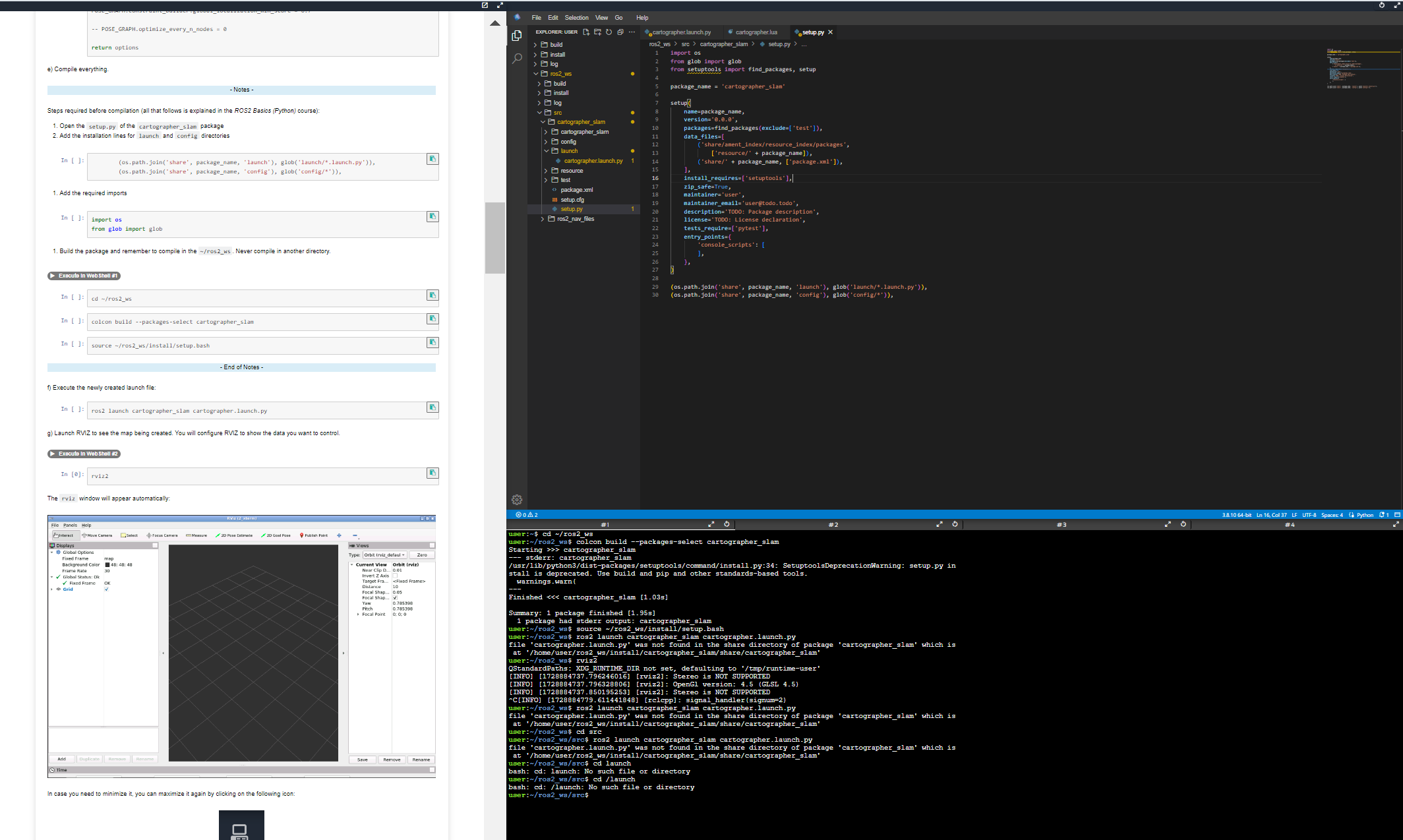
This is an error report.
Screenshot of the error
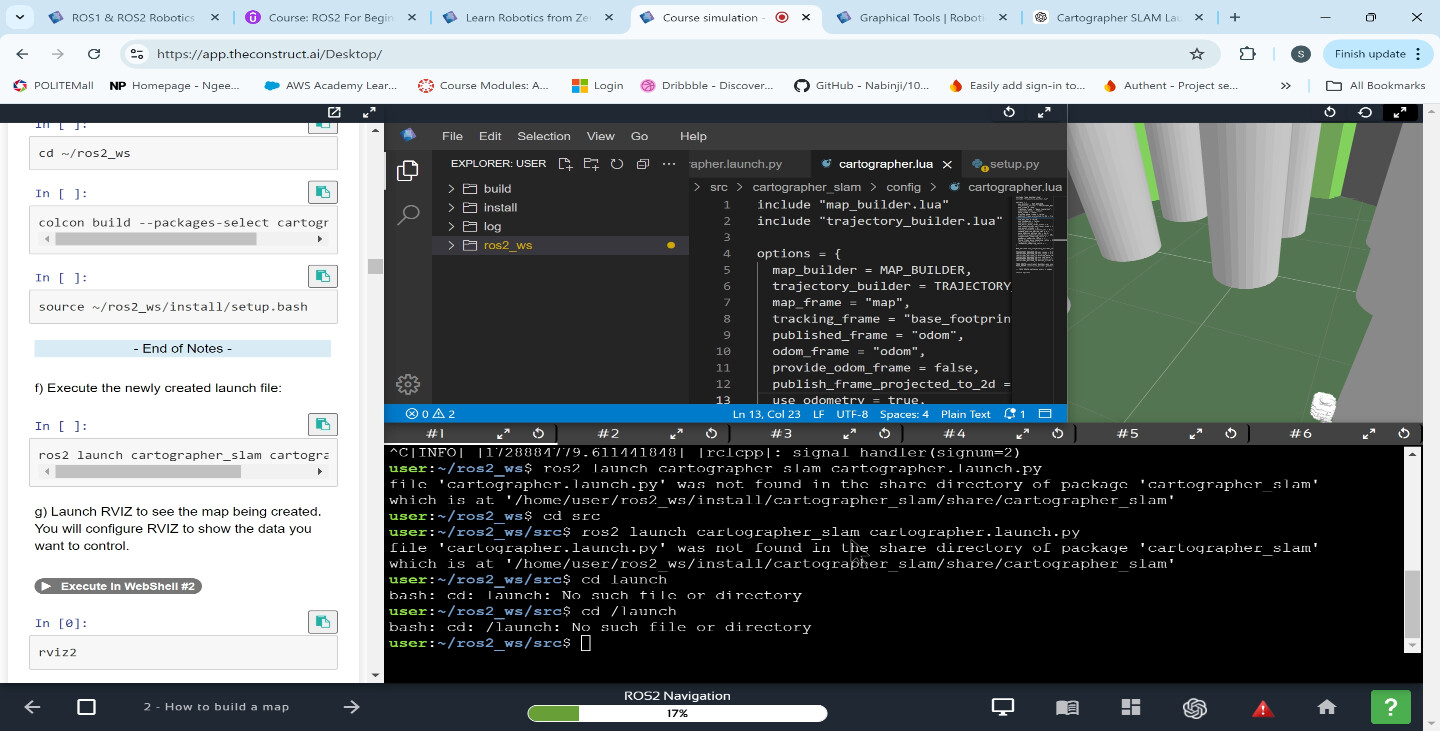
Error details
The error is quite constant no matter what was changed
I am not an expert, IMHO, Usually the launch files are to be created under the src/<package_name>/launch folder. Please check if you can find the launch file under ~ros2_ws/src/cartographer_slam/launch folder… if you find the launch file, then you need update the setup.py to include the launch files in the launch folder. Hope this helps.
In the setup.py … at line 11,
Code should look something like this:
data_files=[
    ('share/ament_index/resource_index/packages',
        ['resource/' + package_name]),
    ('share/' + package_name, ['package.xml']),
     (os.path.join('share', package_name), glob('launch/*.launch.py'))
],
cd is a Linux command to enter a directory, and the directory must exist at the level in which you are running the command.
In your screenshot, your terminal is at ~/ros2_ws/src, so there is no /launch directory there.
Your IDE shows your file structure to be ~/ros2_ws/src/cartographer_slam/launch.
If you want to access that directory from where you are at, then the command would be cd cartographer_slam/launch.
I recommend taking our course Linux for Robotics to get more familiarized with Linux commands.
Thank you, managed to find the issue, the code inside the files were missing a few key components. Thank you once again.
Thank you, managed to find the issue, the code inside the files were missing a few key components, such as not importing Node file. Thank you once again.