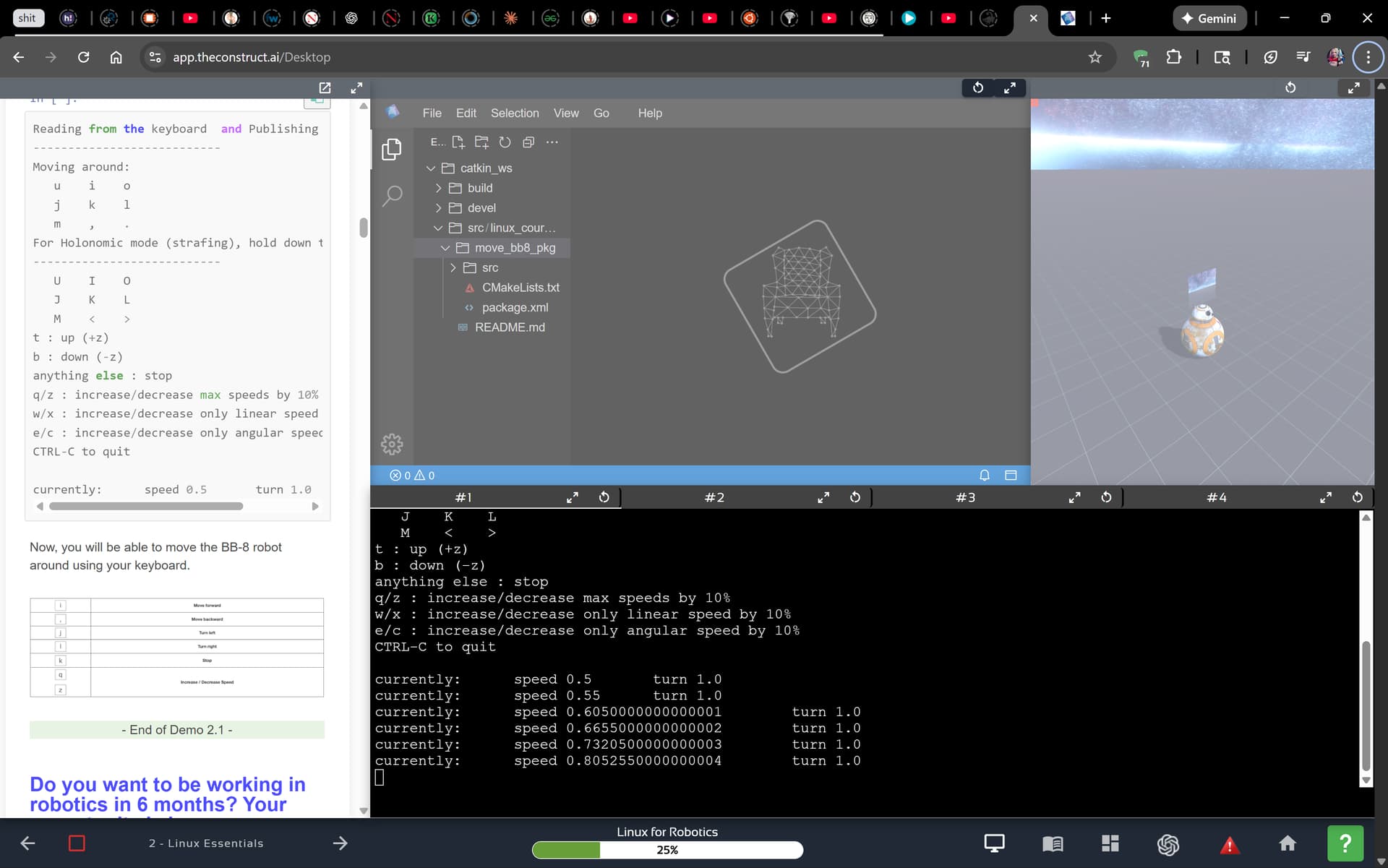
When you notice that there are red square dots on the simulation window, in the top-left corner, as shown in the image above, please try the following:
1. Check the use of VPNs, proxies, and firewalls
- Are you using a VPN?
- Are you behind a firewall or web proxy
- Check your Internet security software (if any)
Any of these could interfere with the connection to the simulation services.
2. Trying a different browser
To better understand what is happening, could you use another Web Browser to see if the same problem occurs?
If you are using Microsoft Edge, for example, could you try loading the course using Mozilla Firefox? If Firefox doesn’t work, could you also try it with Google Chrome?
As you can see, on the top left side of the simulation, we have a small red square. If it is red, then the robot will definitely not move.
When trying different browsers, the goal is to see if that square becomes green.
The reason we ask you to try different Web Browsers is to see if there is an add-on/extension in your browser that may be causing the issue.
3. Trying a different network
As a last resort, if after trying all web browsers it still doesn’t become green, could you also try a different network to ensure there is not a firewall blocking something? If you are trying from home, for example, could you try from your university or work, or vice versa?
 Dropped:ICE connection dropped: 4
  WS closed — reconnecting…