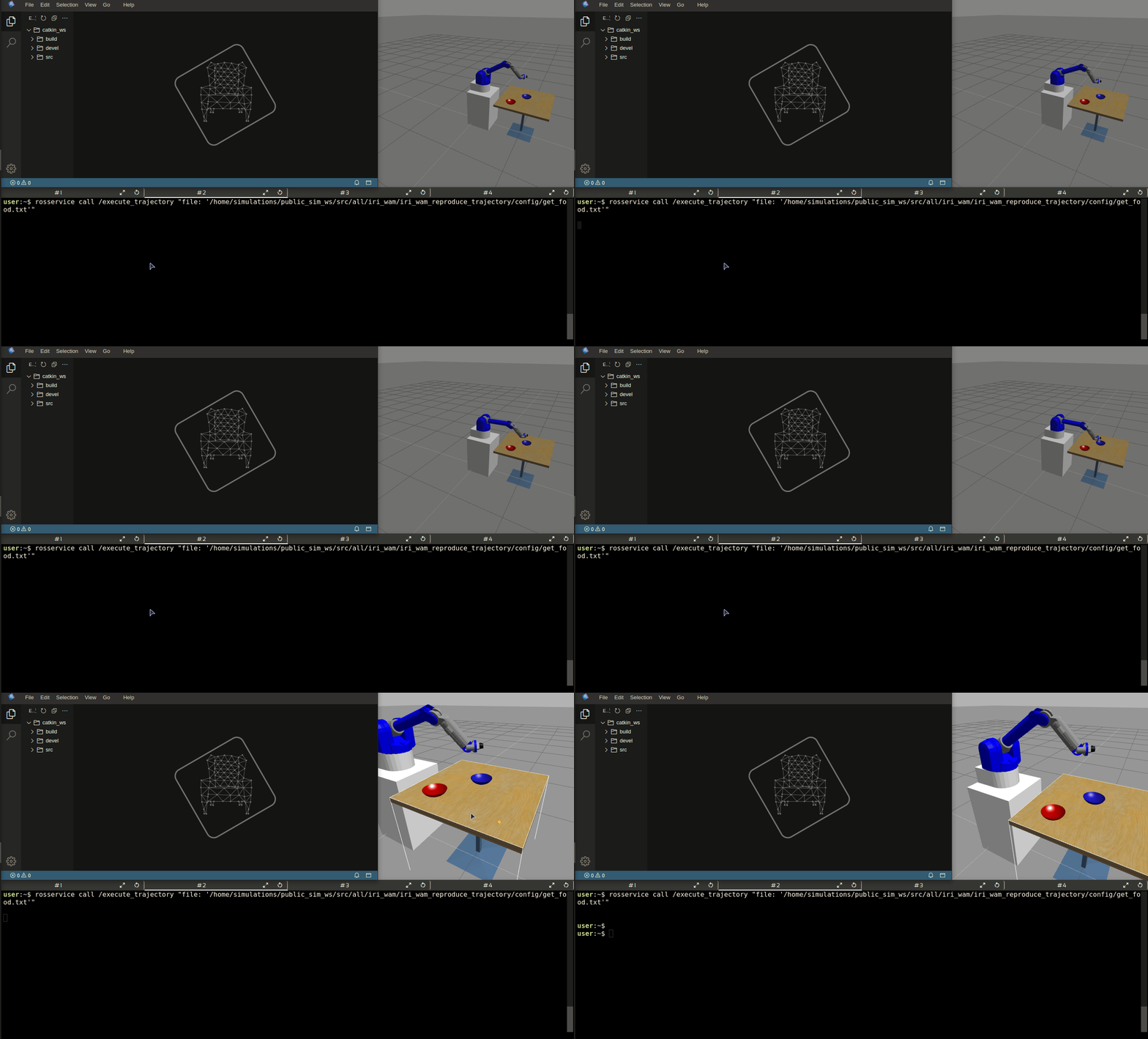
I would like to know how I can call the /execute_trajectory service from the terminal

Hello everyone.
First of all, I want to tell everyone that I’m just starting out with ROS and that this is my first post on the forum. I think this will be noticed, so I apologize in advance if my question is not formatted correctly or is not in the right place. Please let me know so I can improve future posts on this forum.

My situation is the following:
• ROS Fundamentals Course in 5 days (Python)
• Unit 5 Understanding ROS services - Clients

I would like to know how I can call the /execute_trajectory service from the terminal, once it has been previously launched from another terminal of course.

My actions are as follows:

The node that provides the /execute_trajectory service is iri_wam_reproduce_trajectory so I look at the structure of this package using:

roscd iri_wam_reproduce_trajectory
ls

I see that there is a launch folder where the start_service.launch file is to launch the node. There is a config folder with three .txt files get_food.txt, init_pos.txt and release_food.txt (with the coordinates of the trajectories to be followed by the WAM robot when it is called by another node) and there is the srv folder where the ExecTraj.srv service message file is. This message file contains:

string file
---

What I understand, as explained in the course, is that to call the /execute_trajectory service, it is necessary to pass as a call parameter a file (of the three that are in the config folder above) to specify which trajectory I want the robotic arm to execute.
I launch the /execute_trajectory service using:

roslaunch iri_wam_reproduce_trajectory start_service.launch

The service starts perfectly waiting for someone to call it.
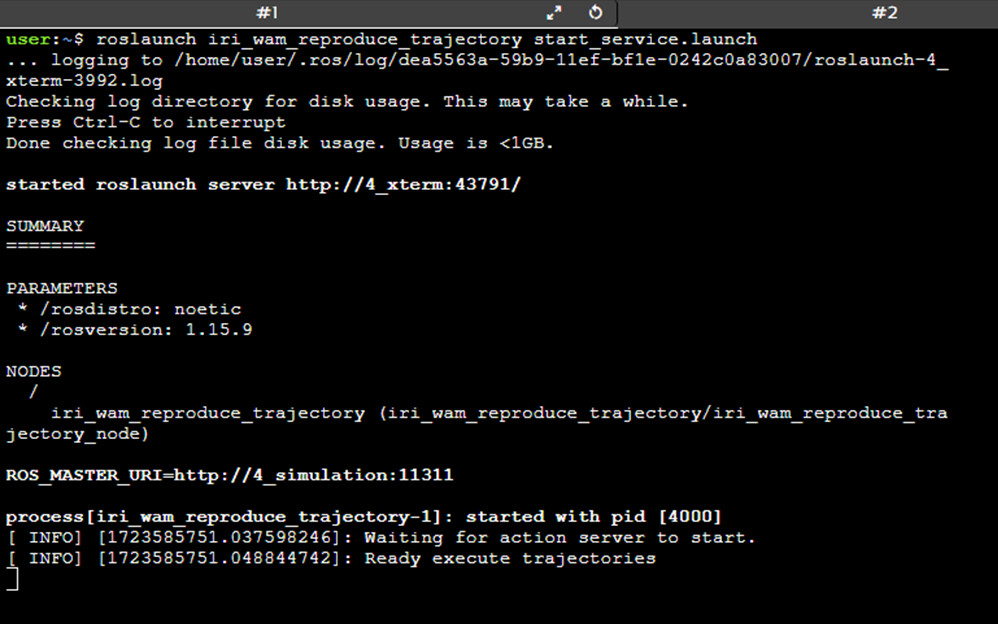
from another terminal
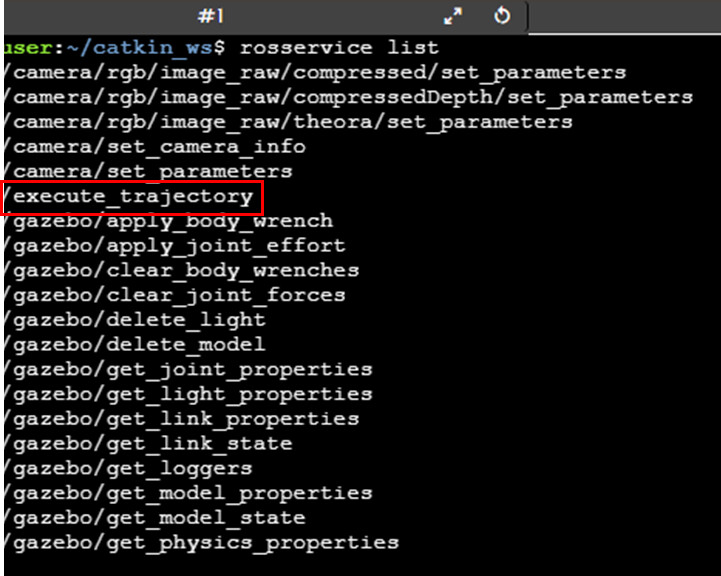
With all this, I run to call the service /execute_trajectory with the trajectory for example of get_food.txt (with the help of [TAB]+ [TAB] of course) using

rosservice call /execute_trajectory "file:'get_food.txt'"

but I get an error:
ERROR: service [/execute_trajectory] responded with an error: b’’

And in the terminal where I launched the service a message appears telling me that it cannot open the file get_food.txt (Unable to open file [get_food.txt]
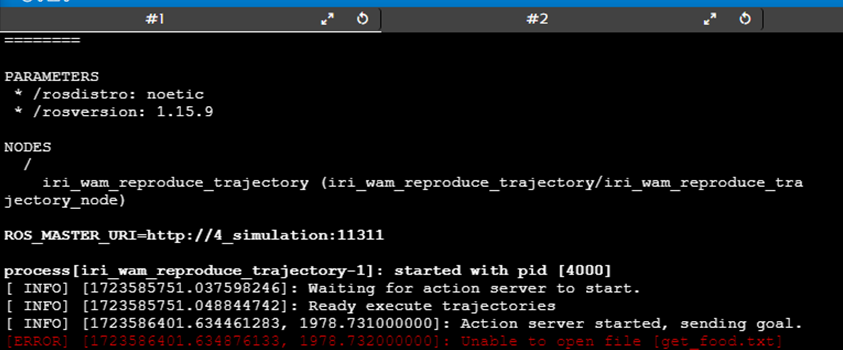
Please, if someone could tell me where the error in my approach is. Thank you all very much!!!
Hi @RicardoCarpio, welcome to the community!

Thank you for the detailed post.

My guess here is that the service server can’t find get_food.txt because it can’t resolve the path it is at.

Make sure the file is at iri_warm_reproduce_trajectory/config and that the server can resolve the path with

import rospkg
rospack = rospkg.RosPack()
# This rospack.get_path() works in the same way as $(find name_of_package) in the launch files.
traj = rospack.get_path('iri_wam_reproduce_trajectory') + "/config/get_food.txt"

You can further debug by printing traj and see if it’s correct.

Hi roalgoal, thanks a lot for your reply.

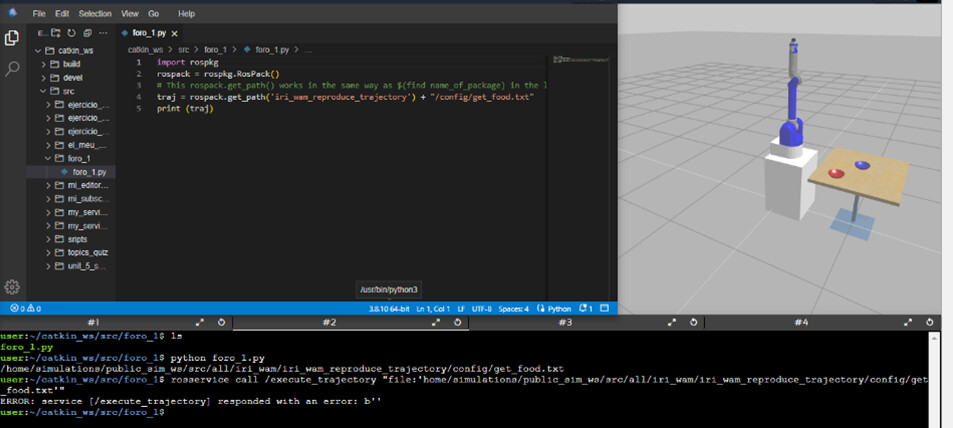
I have run the python code you have provided to get the full path of the get_food.txt file. I had already tried something similar….but I get the same error if I call the service with the full path of the file.

I really appreciate the idea you have given.

Thanks roalgoal

Your code and the result when called the service:

the terminal since it launched the service

:thinking: that is defintely strange, since I can find the file with

user:~$ ls /home/simulations/public_sim_ws/src/all/iri_wam/iri_wam_reproduce_trajectory/config/get_food.txt
/home/simulations/public_sim_ws/src/all/iri_wam/iri_wam_reproduce_trajectory/config/get_food.txt

maybe the issue here is that the terminal is not sourcing that workspace correctly? Make sure that the file exists and then also source before running your service server:

source /home/simulations/public_sim_ws/devel/setup.bash

Thanks roalgoal…the get_food.txt file exists and is in place. I have also checked that my workspace has access to this location as you have recommended but I still cannot call the /execute_trajectory service :pensive: The same error appears:

ERROR: service [/execute_trajectory] responded with an error: b''

Thank you very much for your time :pray:

Hi @RicardoCarpio, I finally understand your issue, sorry it took me so long.

You are simply following the instructions here, not writing your own service server.

In the example, the server is launched and then a client that calls the service /execute_trajectory. This is the same as calling /trajectory_by_name and setting the name to get_food.

The file you created foro_1.py does nothing, so you can disregard it. I was answering thinking you were writing the service server you were trying to call.

Hi @roalgoal. Thanks :pray: and sorry :pensive: but I don’t understand what you’re trying to tell me.
I understand that /execute_trajectory and /execute_trajectory_by_name are two different services.
If I launch the /execute_trajectory_by_name service, I have no problems calling it from the console passing the name of the trajectory as a parameter (get_food).
But if I launch the /execute_trajectory service I can’t call it from the console passing the name of the file that represents the trajectory as a parameter (get_food.txt).
Sorry but I didn’t understand your answer. :shushing_face:

I am sorry for confusing you @RicardoCarpio, I was just trying to explain you the difference without giving you the answer outright.

Yes, there are two separate services that are provided when you launch roslaunch trajectory_by_name start_service.launch:

  1. /trajectory_by_name, offered by /traj_by_name_node.
  2. /execute_trajectory, offered by /iri_wam_reproduce_trajectory.

They both do the same. trajectory_by_name the name of the trajectory, while execute_trajectory requries the actual path to the file.

To call /execute_trajectory from a terminal:

rosservice call /execute_trajectory "file: '/home/simulations/public_sim_ws/src/all/iri_wam/iri_wam_reproduce_trajectory/config/get_fo
od.txt'

rb5dp_execute_trajectory

Hi @roalgoal, perfect!! For some strange reason I already tried this and it didn’t work. In your answer

that is defintely strange, since I can find the file with

user:~$ ls 
/home/simulations/public_sim_ws/src/all/iri_wam/iri_wam_reproduce_trajectory/config/get_food.txt

you already indicated the path of the file and I already tried it with error. But now I have taken all the precautions to copy the entire path of the file and that it is between the single quotes. I think the reason is not so strange, :pensive: it is that I should pay more attention to the commands that I execute and even more, if they contain long strings, single quotes, double quotes etc…
I really appreciate your dedication and help.
Thank you very much for solving the problem for me!!! :star_struck: :star_struck: :star_struck: :star_struck: :star_struck: :star_struck: