Hi @staff in the project I am not being able to make the robot follow the planned path, and I am wondering why. I was able to:
A) Start Nav2 successfully (planner, controller, behavior, lifecycle manager, costmaps)
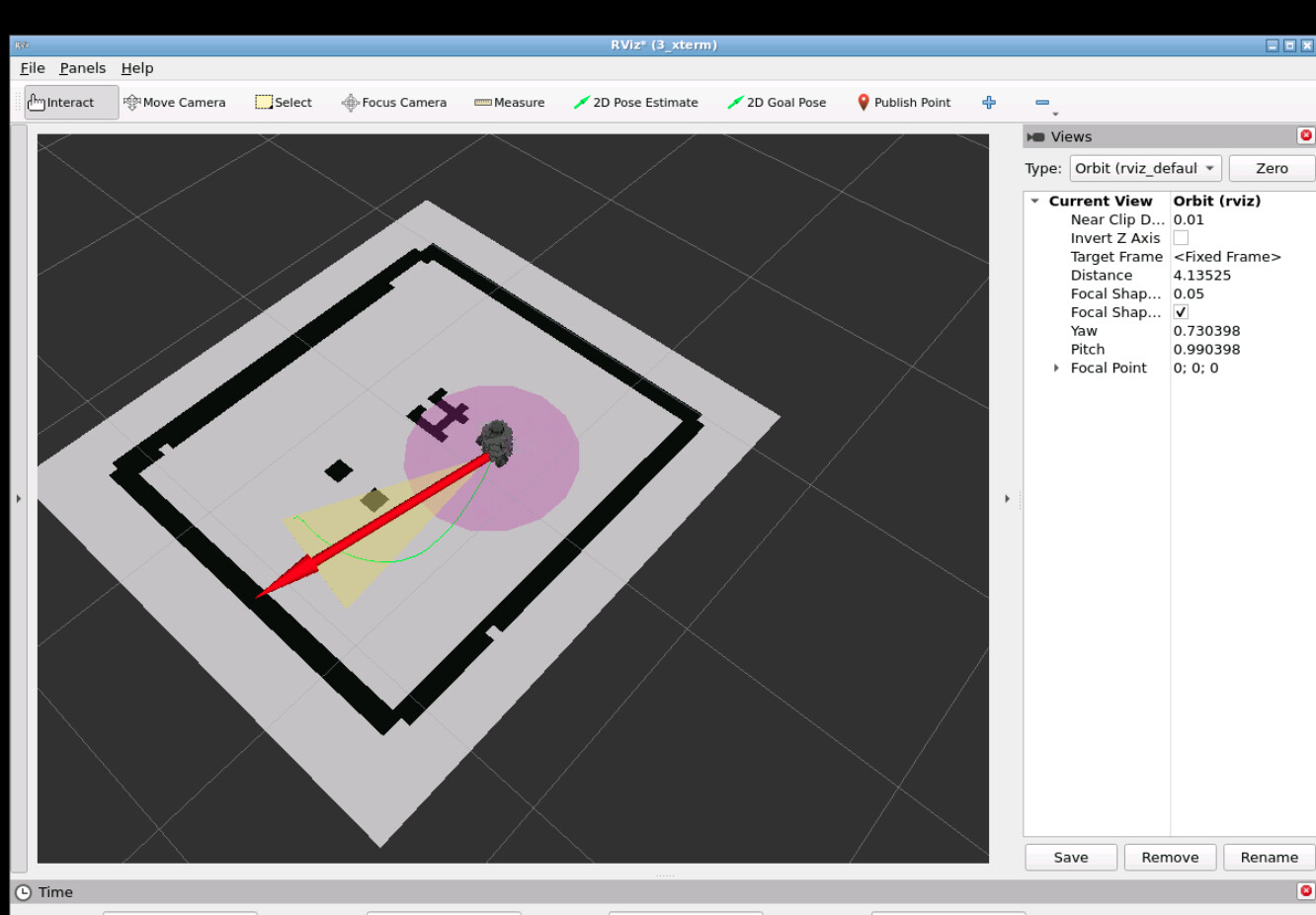
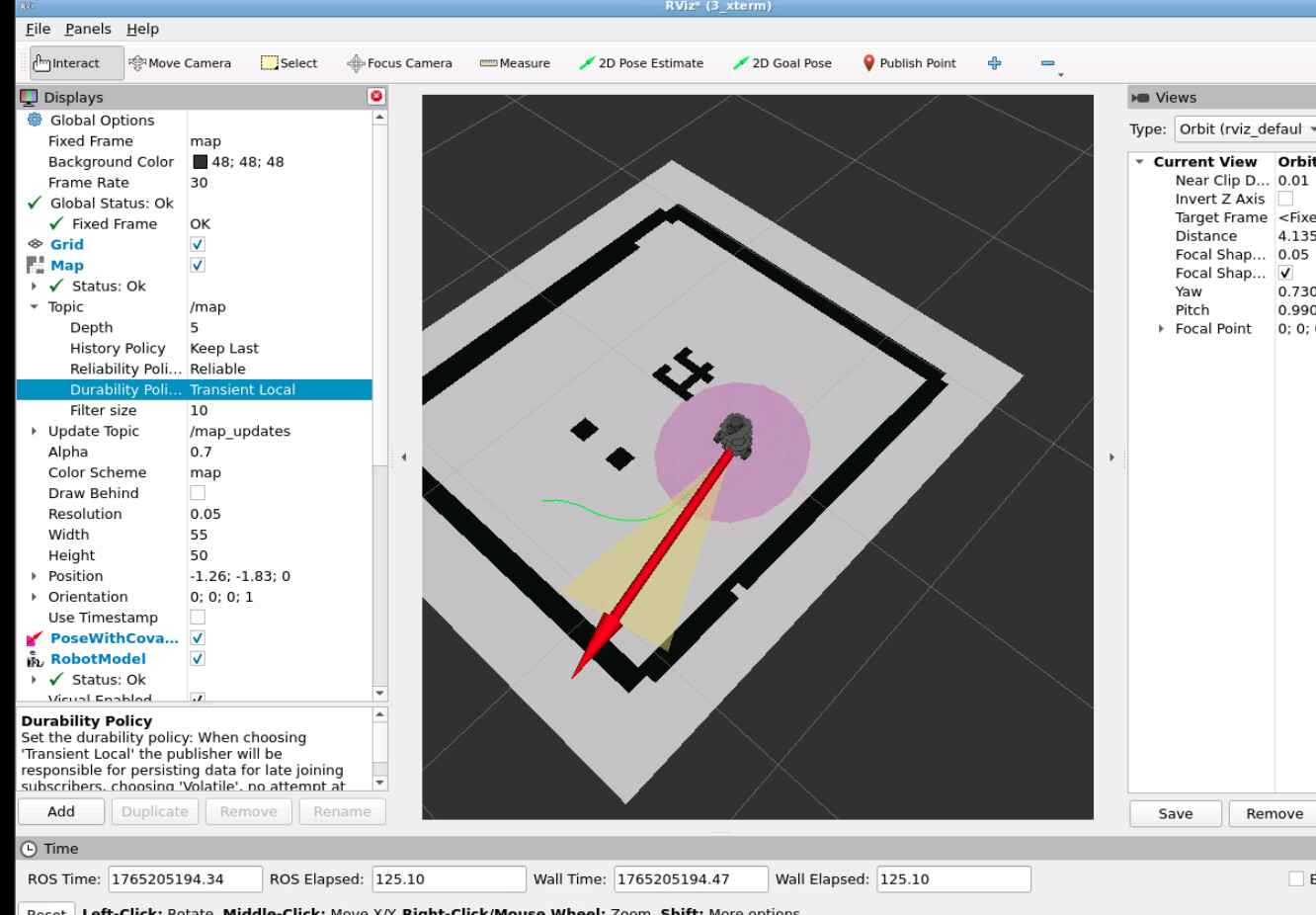
B) See the global plan in RViz (green path from robot to goal)
C) See the local costmap and obstacles correctly
However, the robot does not follow the planned path.
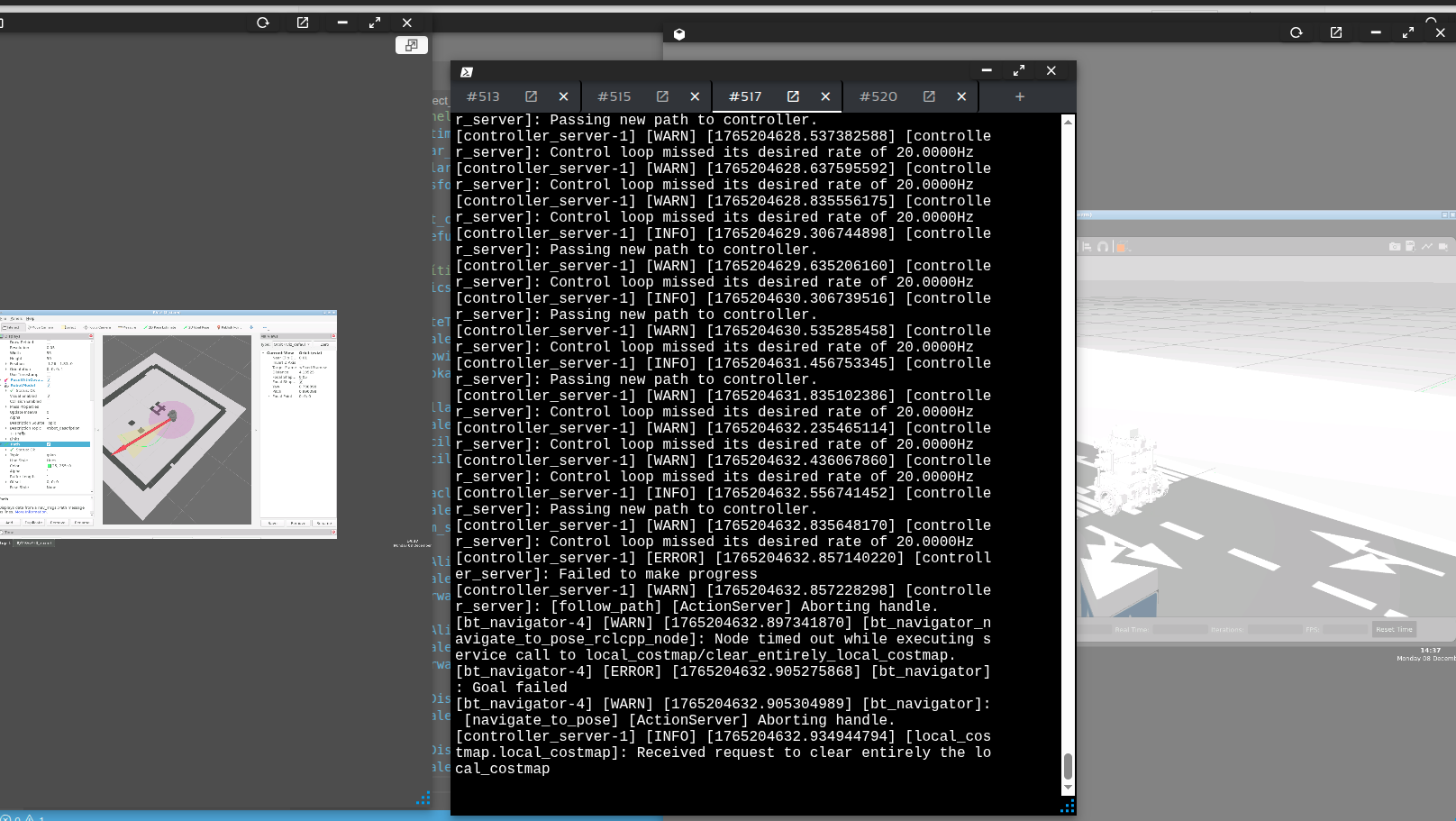
Sometimes it slightly rotates, but in general it stays almost still and I get “Failed to make progress” and “control loop missed its desired rate” warnings in the controller_server logs.
From controller_server:
[controller_server]: Control loop missed its desired rate of 20.0000Hz
[controller_server]: Control loop missed its desired rate of 20.0000Hz
...
[controller_server]: Passing new path to controller.
[controller_server]: Failed to make progress
[controller_server]: [follow_path] [ActionServer] Aborting handle.
[local_costmap.local_costmap]: Received request to clear entirely the local_costmap
From bt_navigator and planner_server:
[bt_navigator_navigate_to_pose_rclcpp_node]: Timed out while waiting for action server to acknowledge goal request for compute_path_to_pose
[global_costmap.global_costmap]: Received request to clear entirely the global_costmap
[planner_server]: Planner loop missed its desired rate of 20.0000 Hz
My launch file:
from launch import LaunchDescription
from launch_ros.actions import Node
from ament_index_python.packages import get_package_share_directory
import os

def generate_launch_description():
    controller_yaml = os.path.join(get_package_share_directory('project_path_planning'), 'config', 'controller.yaml')
    bt_navigator_yaml = os.path.join(get_package_share_directory('project_path_planning'), 'config', 'bt_navigator.yaml')
    planner_yaml = os.path.join(get_package_share_directory('project_path_planning'), 'config', 'planner_server.yaml')
    recovery_yaml = os.path.join(get_package_share_directory('project_path_planning'), 'config', 'recovery.yaml')

    return LaunchDescription([
        Node(
            package='nav2_controller',
            executable='controller_server',
            name='controller_server',
            output='screen',
            parameters=[controller_yaml]),
        Node(
            package='nav2_planner',
            executable='planner_server',
            name='planner_server',
            output='screen',
            parameters=[planner_yaml]),
        Node(
            package='nav2_behaviors',
            executable='behavior_server',
            name='recoveries_server',
            output='screen',
            parameters=[recovery_yaml]),
        Node(
            package='nav2_bt_navigator',
            executable='bt_navigator',
            name='bt_navigator',
            output='screen',
            parameters=[bt_navigator_yaml]),
        Node(
            package='nav2_lifecycle_manager',
            executable='lifecycle_manager',
            name='lifecycle_manager_pathplanner',
            output='screen',
            parameters=[{
                'autostart': True,
                'node_names': [
                    'planner_server',
                    'controller_server',
                    'recoveries_server',
                    'bt_navigator'
                ]
            }])
    ])
planner_server.yaml
planner_server:
  ros__parameters:
    expected_planner_frequency: 20.0
    planner_plugins: ["GridBased"]
    costmap_update_timeout: 1.0

    GridBased:
      plugin: "nav2_navfn_planner/NavfnPlanner"
      tolerance: 0.5
      use_astar: false
      allow_unknown: true
controller.yaml (DWB Local Planner)
controller_server:
  ros__parameters:
    controller_frequency: 20.0
    costmap_update_timeout: 0.30
    min_x_velocity_threshold: 0.001
    min_y_velocity_threshold: 0.5
    min_theta_velocity_threshold: 0.001
    failure_tolerance: 0.3

    progress_checker_plugins: ["progress_checker"]
    goal_checker_plugins: ["general_goal_checker"]
    controller_plugins: ["FollowPath"]

    progress_checker:
      plugin: "nav2_controller::SimpleProgressChecker"
      required_movement_radius: 0.5
      movement_time_allowance: 10.0

    general_goal_checker:
      plugin: "nav2_controller::SimpleGoalChecker"
      stateful: true
      xy_goal_tolerance: 0.25
      yaw_goal_tolerance: 0.25

    FollowPath:
      plugin: "dwb_core::DWBLocalPlanner"
      debug_trajectory_details: false

      min_vel_x: 0.0
      max_vel_x: 0.5
      min_vel_y: 0.0
      max_vel_y: 0.0
      max_vel_theta: 1.0

      acc_lim_x: 2.5
      acc_lim_y: 0.0
      acc_lim_theta: 3.2

      decel_lim_x: -2.5
      decel_lim_y: 0.0
      decel_lim_theta: -3.2

      vx_samples: 20
      vy_samples: 1
      vtheta_samples: 20

      sim_time: 2.0
      linear_granularity: 0.05
      angular_granularity: 0.025
      transform_tolerance: 0.2

      short_circuit_trajectory_evaluation: true
      stateful: true

      critics: ["RotateToGoal", "Oscillation", "ObstacleFootprint", "GoalAlign", "PathAlign", "PathDist", "GoalDist"]

      RotateToGoal:
        scale: 20.0
        slowing_factor: 5.0
        lookahead_time: -1.0

      Oscillation:
        scale: 10.0
        oscillation_reset_dist: 0.1
        oscillation_reset_angle: 0.2

      ObstacleFootprint:
        scale: 10.0
        sum_scores: true

      GoalAlign:
        scale: 24.0
        forward_point_distance: 0.1

      PathAlign:
        scale: 32.0
        forward_point_distance: 0.1

      PathDist:
        scale: 32.0

      GoalDist:
        scale: 24.0