I’m trying to complete the project for the C++ Basics for Robotics course, got mid-way through coding up the final project, but now the simulation will not start any more.
running:
ros2 launch turtlebot3_gazebo main_turtlebot3_lab.launch.xml
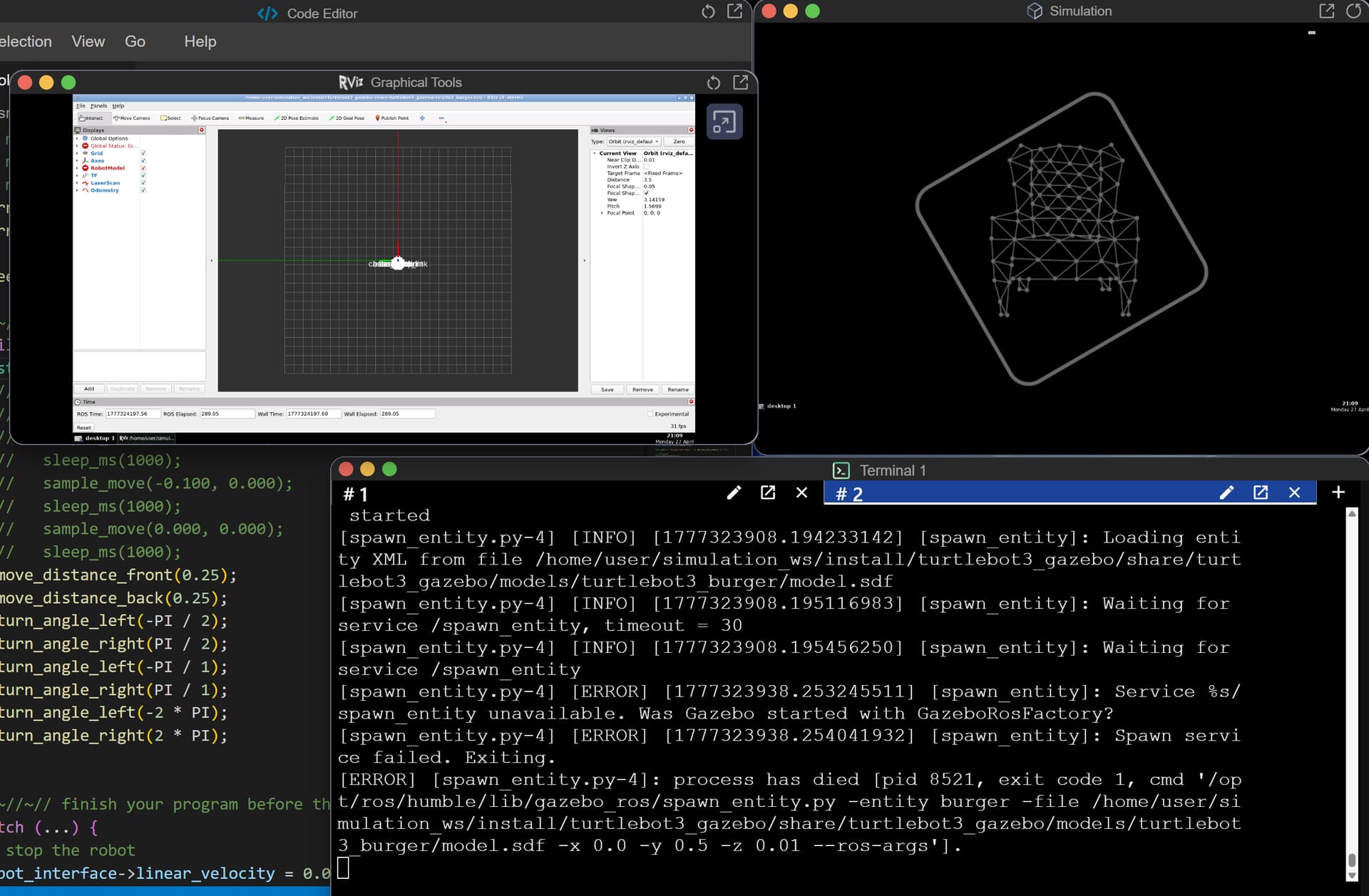
does bring up the guacamole window, but the simulation no longer appears (often the simulation window does appear, but not simulation appears within it.
The terminal has error messages such as:
[ERROR] [spawn_entity.py-4]: process has died [pid 8521, exit code 1, cmd ‘/opt/ros/humble/lib/gazebo_ros/spawn_entity.py -entity burger -file /home/user/simulation_ws/install/turtlebot3_gazebo/share/turtlebot3_gazebo/models/turtlebot3_burger/model.sdf -x 0.0 -y 0.5 -z 0.01 --ros-args’].
The first couple of times I was able to restart the simulation, but not any more. It just hangs and never appears. This has been a giant pain. I’ve spend far more time troubleshooting the simulation than coding. I was hoping to take a number of your courses, but if this is the state of the simulation in the primary introductory class I’m very concerned that more will be a similar waste of time. Hoping there’s an easy solution I’m missing.
Is there some kind of full reset I can do? Exiting and re-entering the course does not fix the problem.