I am currently pursuing the URDF for Robot Modeling course and am facing an issue related to loading RViz configuration files
I followed the prescribed steps to save a basic RViz configuration and launch RViz in two ways:
From a launch file (along with the URDF node), and
From a separate terminal
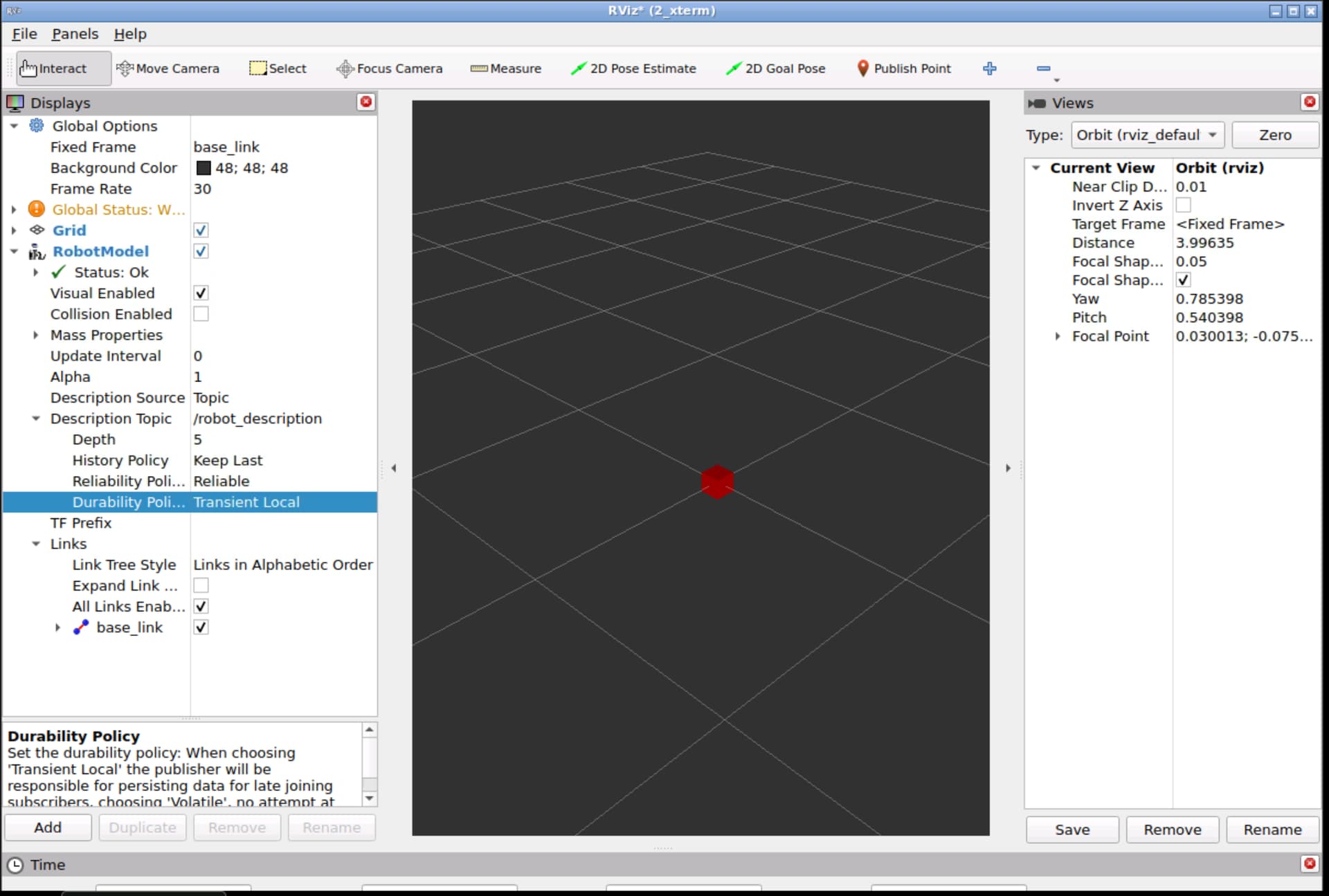
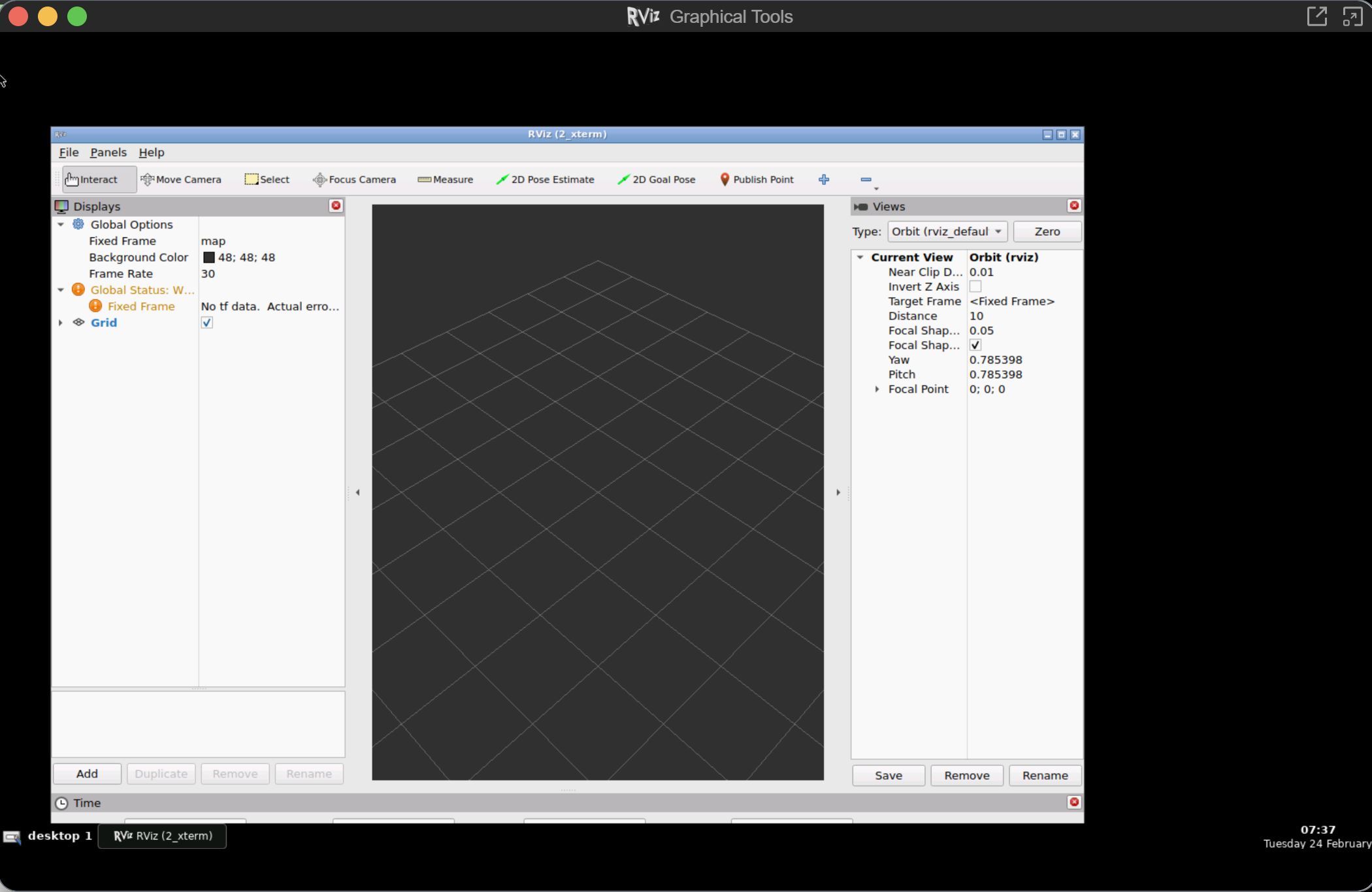
In both cases, RViz launches successfully, but the saved configuration is not applied. RViz opens with an empty grid and no displays loaded. I have to manually add the /robot_model display, set the fixed frame to base_link, and configure everything again.
I have attached a screenshot showing what RViz looks like when launched with the configuration file, as well as a screenshot of the rviz.config file that I saved.
I would like to mention that the command rviz -d <config_file> worked as expected for earlier sub-modules (up to module 2.11). This issue has started occurring only from the current module.
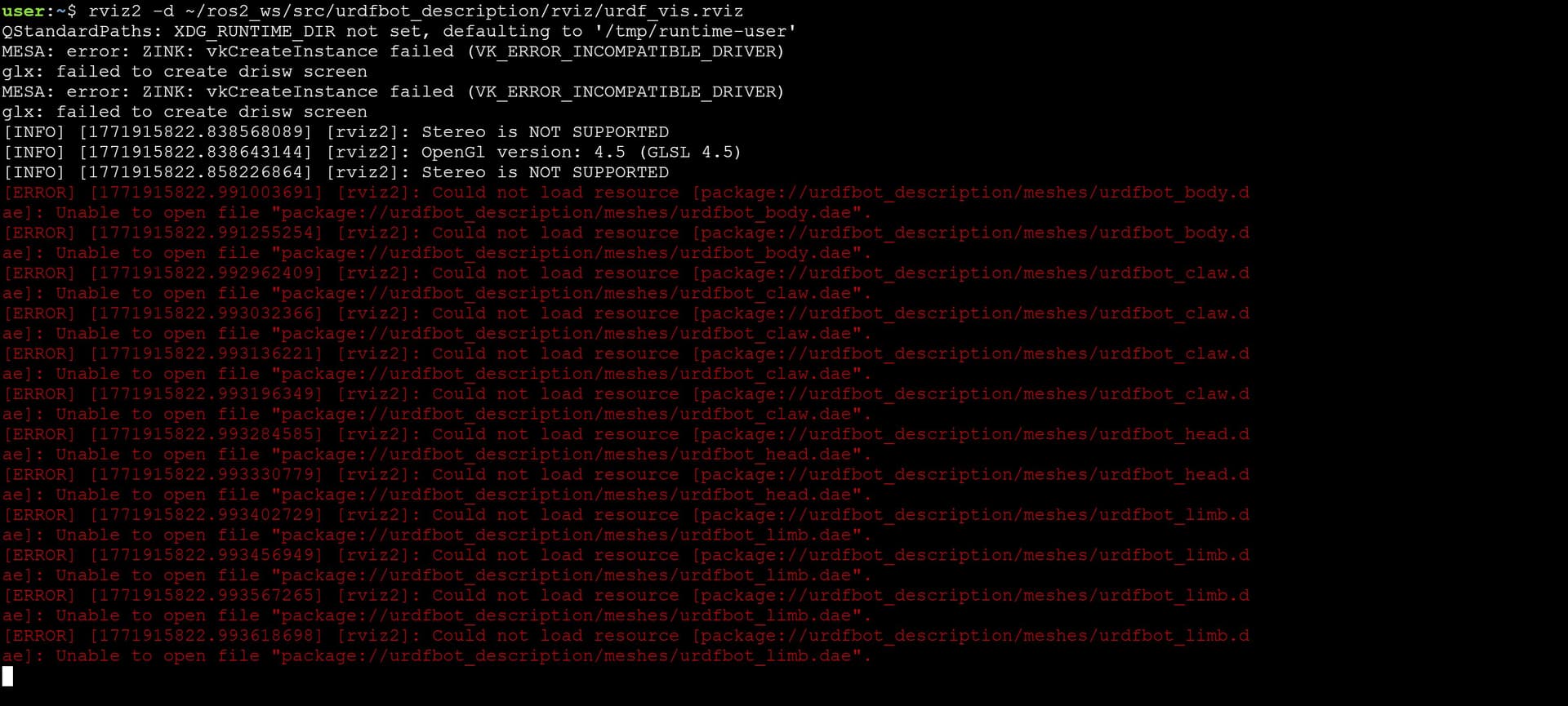
Additionally, in module 2.12 (Joint Special Elements), we are required to import several mesh files. While doing so, I intermittently encounter the following error in the terminal:
Unable to import the urdf_limb.dae mesh
I have attached a screenshot of this error as well.
Any insight into why the RViz configuration is not loading correctly and why the mesh import error occurs intermittently would be greatly appreciated.
If RViz cannot load a mesh file, it usually means it does not have access to the package that contains the mesh (urdfbot_description in this case). Make sure you source the workspace where this package is located before launching RViz. For example:
source ~/ros2_ws/install/setup.bash
After sourcing the workspace, RViz should be able to find the meshes without any issues.
Regarding RViz not loading your configuration file at startup, here are a couple of things to check:
The configuration file may not exist at the specified path or might have a different name. You can verify this with:
ls ~/ros2_ws/src/urdfbot_description/rviz/urdf_vis.rviz
The file exists, but the configuration was not properly saved. If you open the file, check whether it contains the displays you added (such as RobotModel) and whether the Fixed Frame is set to base_link. If not, the file may not have been saved correctly, or it may have been saved to a different location by mistake.
I hope this helps you debug the issue. Please keep us updated!
Hi,
I have tried everything you have mentioned above, the files are placed correctly, sourcing is on-point and yet the issue persists.
I am able to launch the saved rviz_config if I open rviz and Use the ‘File → Open → saved rviz config’ method. It is just not launching correctly with the robot model from the rviz launch file.
I have placed the code of the file below (only the name of my urdf and my config files are different from the module code. rest is the same)
import os

from ament_index_python.packages import get_package_share_directory
from launch import LaunchDescription
from launch.substitutions import Command
from launch_ros.actions import Node

# this is the function launch system will look for
def generate_launch_description():

    ####DATA INPUT####
    urdf_file = "urdfbot_multiple_link.urdf"
    #xacro_file = "urdfbot.xacro"
    package_description = 'urdfbot_description'

    #####DATA INPUT END####
    print("Fetching URDF ==>")
    robot_desc_path = os.path.join(get_package_share_directory(package_description), "urdf", urdf_file)

    #Robot State Publisher

    robot_state_publisher_node = Node(
    package = 'robot_state_publisher',
    executable = 'robot_state_publisher',
    name = 'robot_state_publisher_node',
    emulate_tty=True,
    parameters=[{'use_sim_time': True, 'robot_description': Command(['xacro ', robot_desc_path])}],
    output="screen"
    )

    #RVIZ Configuration
    rviz_config_dir = os.path.join(get_package_share_directory(package_description), 'rviz', 'urdf_2_vis.rviz')

    rviz_node = Node(
    package='rviz2',
    executable='rviz2',
    output='screen',
    name='rviz_node',
    parameters=[{'use_sim_time':True}],
    arguments=['d',rviz_config_dir])


    # create and return launch description object
    return LaunchDescription(
    [
    robot_state_publisher_node,
    rviz_node
    ]
    )
However, your RViz configuration file is not namedurdf_2_vis.rviz, but urdf_2_vis_rviz.rviz. This means the launch file is trying to load a file that does not exist, which is why it is not working.
Hello @albertoezquerro. Sorry for the trouble. You are right. I just checked and changed those 2 lines and it is working as expected.
Thank you for taking the time to look into my files and help me debug this!