What does it mean while completing quiz? “Almost there! Complete the autocorrected quiz”
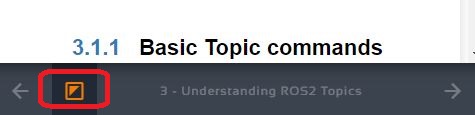
It is marked with half filled orange triangle.
Hi @stanislav.sakal ,
The half-filled orange square icon, in your case, means that you have completed the knowledge check but still have a chapter quiz that you need to complete.
Please note that this does not prevent you from moving to the next unit, only that we would not consider that unit completed until you take the autocorrected quiz.
Assuming that you have completed learning the chapter, you must take the chapter’s final quiz which is auto-graded and score above 8 out of 10 to pass the section, so you can go to the next unit.
To take the quiz, you would find a green check-box button on the top of the left panel which shows you the learning material. Click on that button to assess your chapter quiz once you have completed it. You can find the chapter quiz question at the bottom of the chapter.
I hope this answers your question.
Regards,
Girish
Could you send me screenshot? I do not see this green button
My apologies; it’s no longer a green button on the top of the left panel.
It’s now in the bottom bar; it’s the highlighted button in the screenshot:

1 Like
This topic was automatically closed 5 days after the last reply. New replies are no longer allowed.