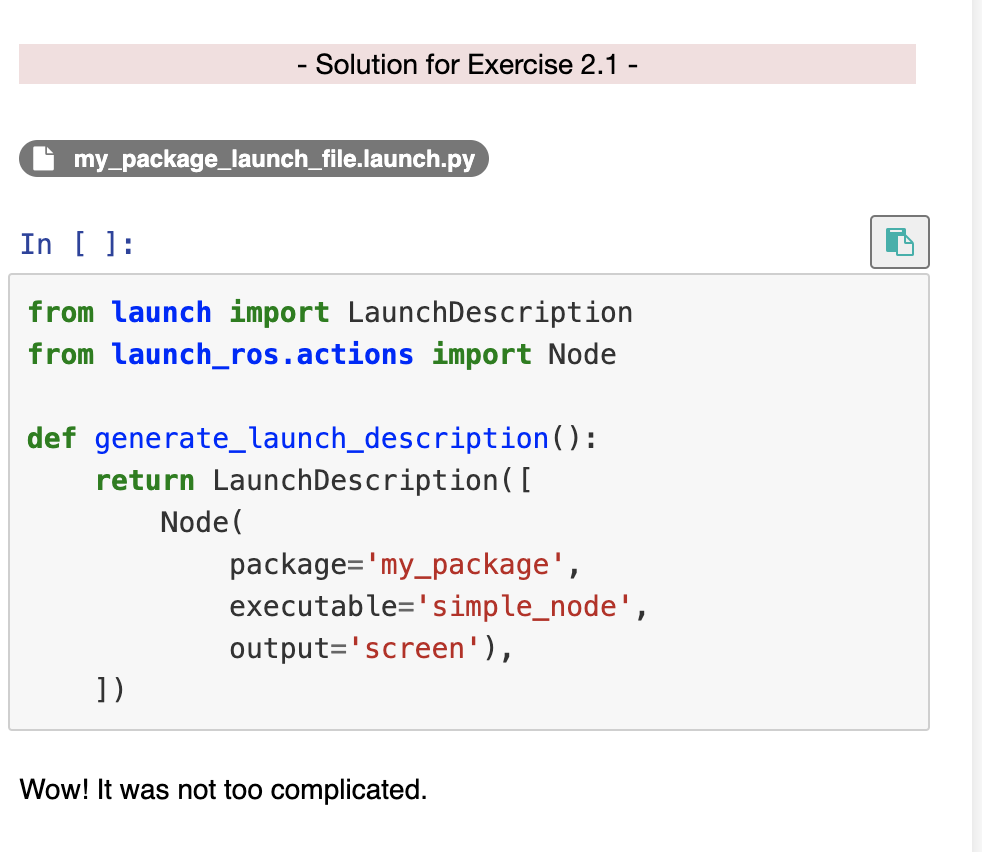
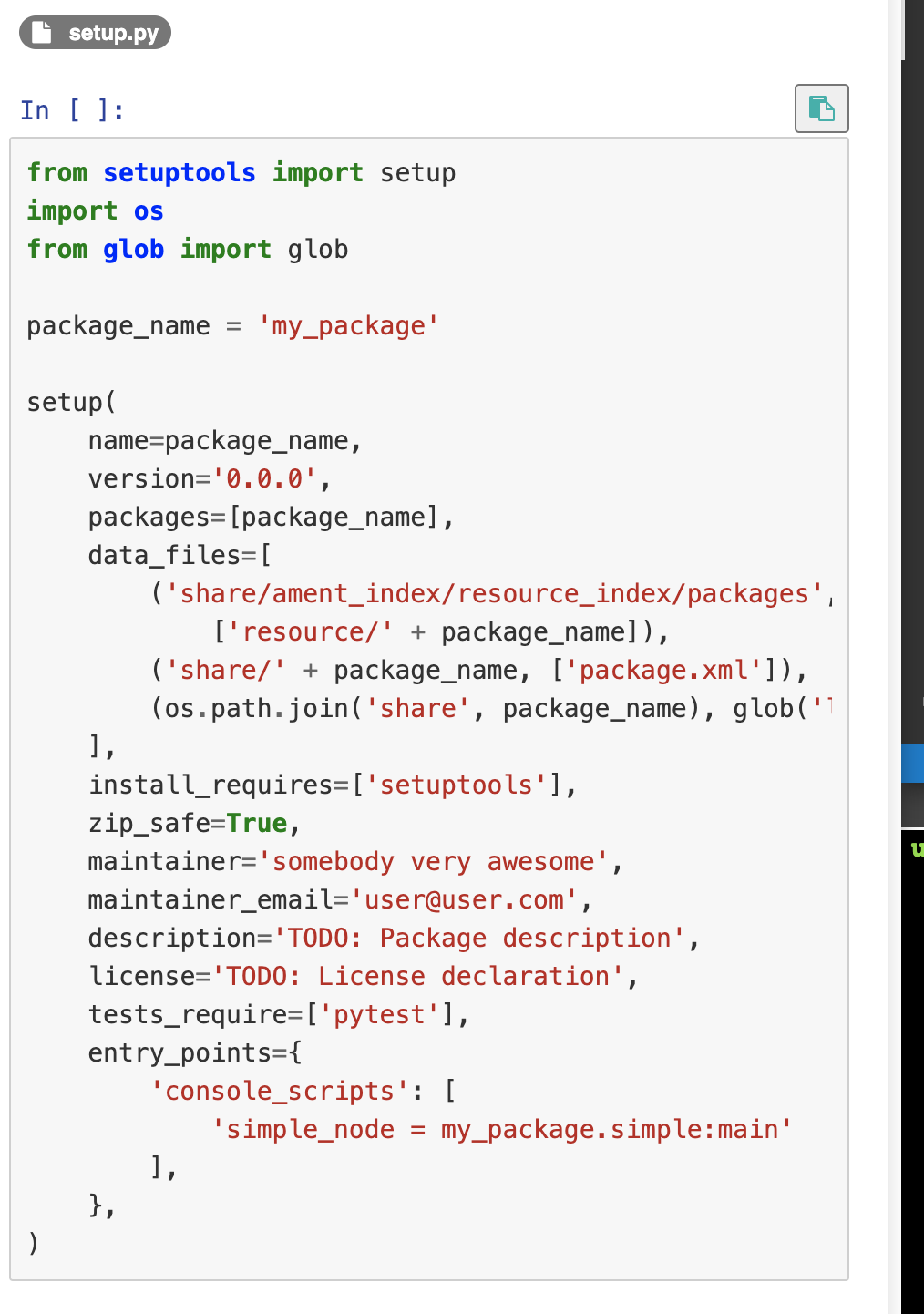
In the ROS2 in 5 days section 2 Basic Concepts, simple.py is create as python script but simple_node is used as the executable.
What is the executable in Launch file and setup.py actually?
In ROS1 launch file, we have the following parameters:
type=“executable_python_file_name.py” # Name of the program file that we want to execute
name=“node_name” # Name of the ROS node that will launch the Python file
The executable in ROS2 corresponds to the type or name in ROS1?
Oh I figure it out…
We add an executable to the entry_points, and map the executable to the script and the main function.
Then in the launch file, <executable_name> refers to the <executable_name> of the entry point defined in setup.py to specify which script to run.
I studied ROS basics myself many many years ago as a freshman…I just wanted to refresh it.
I found the courses ROS and ROS2 in 5 days have the following issues:
They cannot be finished in 5 days as many people mentioned in the review comments
They provided the scripts directly instead of a code template and lacked instructions and details/summaries sometimes.
The solutions are not OOP. The codes are not clean…
The ROS and ROS2 courses are basically in the same logic which might be a waste of time for people who studied the ROS course.
ROS2 course does not mention and summarize the difference between ROS1 and ROS2.
You do not need to provide all the simple linux commands/scripts for copying and pasting or at least somehow hide it until they really do not know. Students need to practice typing them directly and writing codes. If they cannot, they need to review the basic courses like Python, C++ and linux.
The project-based courses are great but I find it hard to follow compared to the courses I attended in uni…